Understanding RAG - Architecture
RAG Architecture
The RAG pipeline consists of several key stages that work together to produce enhanced responses. Let’s explore each component and how they interact to create a system that’s greater than the sum of its parts.
The Complete RAG Pipeline
Here’s an interactive visualization of the entire RAG flow. Click play to see how data moves through the system:
Step-by-Step Breakdown
Interactive Diagram
This interactive diagram requires JavaScript to be enabled.

Steps:
- User submits a natural language query to the system
- The query is converted into a vector embedding using an embedding model
- Vector similarity search finds the most relevant documents in the knowledge base
- Top-k most similar documents are retrieved based on semantic similarity
- Retrieved documents are combined with the original query to create an augmented prompt
- The LLM generates a response using both the query and retrieved context
- The final response is returned to the user, grounded in retrieved documents
Core Components Explained
Let’s break down each component in detail:
1. Query Processing 🔍
What it does: Prepares the user’s question for the retrieval system
Key Functions:
- Cleans and normalizes the input text
- Removes stop words and special characters
- May expand the query with synonyms
- Prepares text for embedding
Example:
Input: "How do I reset my password???"
Processed: "reset password"
2. Embedding Model 🧮
What it does: Transforms text into dense vector representations
Key Characteristics:
- Converts text to high-dimensional vectors (768-1536 dimensions)
- Captures semantic meaning, not just keywords
- Similar concepts have similar vectors
- Enables semantic search
Popular Models:
- OpenAI
text-embedding-ada-002 - Sentence Transformers
- Cohere Embed
- Google’s Universal Sentence Encoder
Example:
Text: "machine learning"
Vector: [0.23, -0.45, 0.67, ..., 0.12] (1536 dimensions)
3. Vector Database 💾
What it does: Stores document embeddings and enables fast similarity search
Key Features:
- Specialized for vector similarity search
- Handles millions of vectors efficiently
- Supports various distance metrics
- Enables real-time retrieval
Popular Options:
- Pinecone
- Weaviate
- Qdrant
- Chroma
- FAISS
How it works:
- Documents are pre-embedded and stored
- Query vector is compared against all stored vectors
- Returns most similar documents based on distance
4. Retrieval System 📚
What it does: Finds and ranks the most relevant documents
Retrieval Strategies:
- Semantic Search: Based on vector similarity
- Keyword Search: Traditional text matching
- Hybrid Search: Combines both approaches
- Re-ranking: Refines initial results
Parameters:
- Top-k: Number of documents to retrieve (typically 3-10)
- Similarity Threshold: Minimum relevance score
- Diversity: Ensure varied results
5. Context Augmentation 🔗
What it does: Combines retrieved documents with the query
Process:
- Takes top-k retrieved documents
- Formats them into a structured prompt
- Adds the original query
- Creates a complete prompt for the LLM
Example Prompt Template:
Context:
[Document 1: Password reset instructions...]
[Document 2: Account security guidelines...]
[Document 3: Two-factor authentication setup...]

Question: How do I reset my password?

Answer based on the context provided above:
6. Language Model 🤖
What it does: Generates the final response using query and context
Key Capabilities:
- Understands natural language
- Synthesizes information from multiple sources
- Generates coherent, contextual responses
- Can cite specific sources
Popular Models:
- GPT-4 / GPT-3.5
- Claude
- Llama 2
- PaLM
7. Response Formatting 📝
What it does: Presents the answer to the user
Enhancements:
- Adds source citations
- Formats for readability
- Includes confidence scores
- Provides follow-up suggestions
Step-by-Step RAG Process
Let’s see the RAG pipeline in action with a concrete example:
RAG Pipeline in Action
This animated concept requires JavaScript to be enabled.
Frames:
-
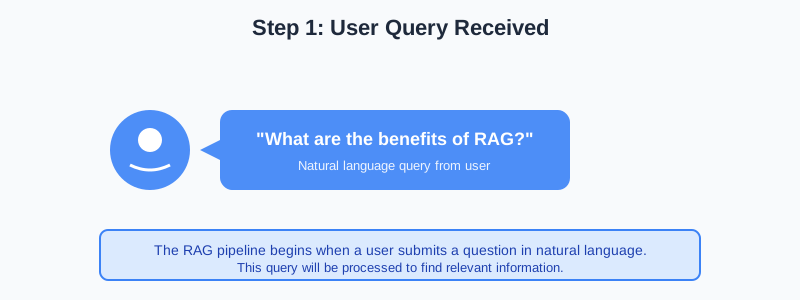
Step 1: User asks 'What are the benefits of RAG?' - Query is received by the system
-
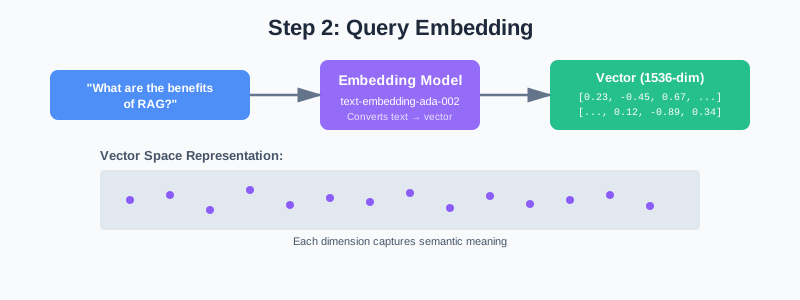
Step 2: Query is embedded into a 1536-dimensional vector using an embedding model
-
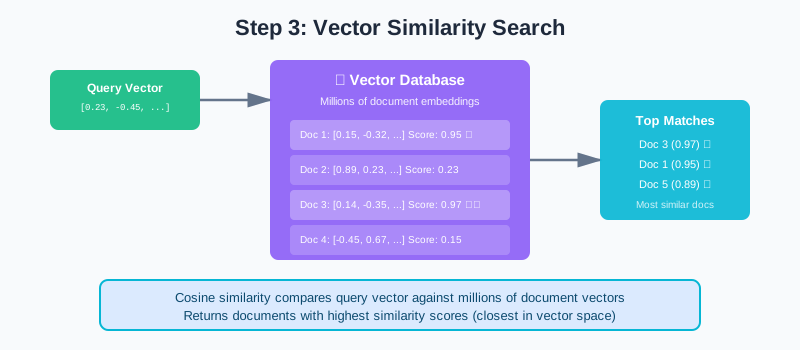
Step 3: Vector database performs similarity search across millions of document embeddings
-
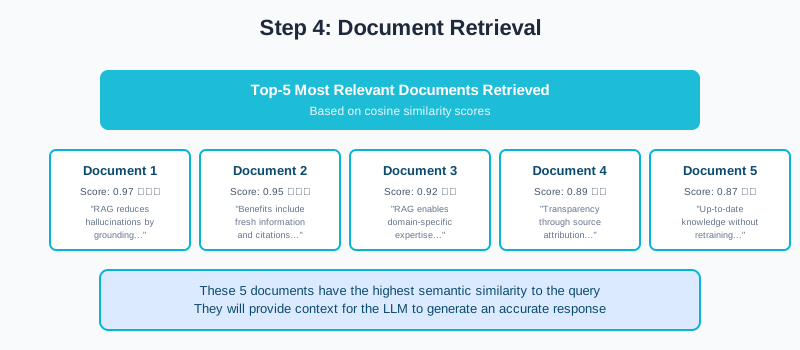
Step 4: Top 5 most relevant documents are retrieved based on cosine similarity scores
-
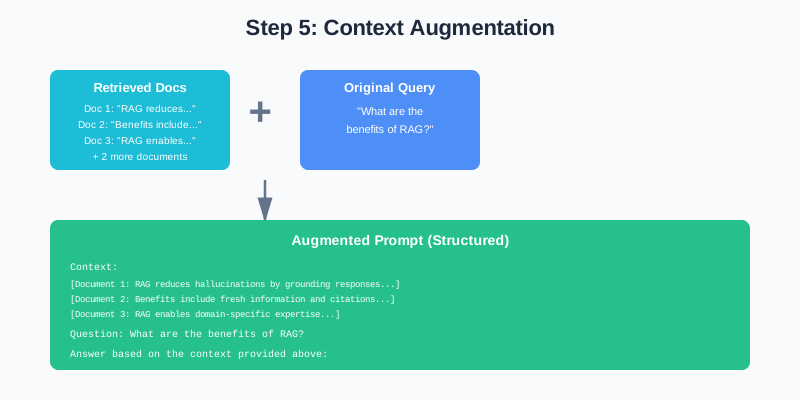
Step 5: Retrieved documents are combined with the query into a structured prompt
-
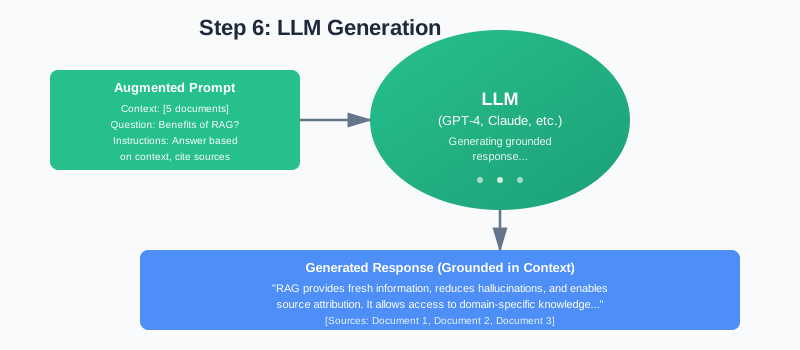
Step 6: LLM generates a response grounded in the retrieved context with source citations
-
![Step 7: Final response is returned to user: 'RAG provides fresh information, reduces hallucinations, and enables source attribution. [Sources: Doc1, Doc2, Doc3]'](/2025/11/19/rag-fundamentals/concepts/pipeline-step-7.svg)
Step 7: Final response is returned to user: 'RAG provides fresh information, reduces hallucinations, and enables source attribution. [Sources: Doc1, Doc2, Doc3]'
Data Flow Summary
Here’s how information flows through the RAG system:
User Query
    ↓
Query Embedding (vector)
    ↓
Vector Similarity Search
    ↓
Top-k Documents Retrieved
    ↓
Context + Query → Augmented Prompt
    ↓
LLM Generation
    ↓
Grounded Response with Citations
Key Architecture Insights
1. Two-Stage Process
- Stage 1: Retrieval (finding relevant information)
- Stage 2: Generation (creating the response)
2. Separation of Concerns
- Retrieval handles finding information
- LLM handles understanding and generation
- Each component can be optimized independently
3. Scalability
- Vector databases can handle millions of documents
- Retrieval is fast (milliseconds)
- Generation time depends on LLM
4. Flexibility
- Can swap embedding models
- Can change retrieval strategies
- Can use different LLMs
- Can update knowledge base without retraining
What’s Next?
Now that you understand the architecture, let’s dive deeper into the Retrieval Process in the next page. You’ll learn about vector embeddings, similarity search, and get hands-on experience building a RAG pipeline!
Discussion
Loading comments...