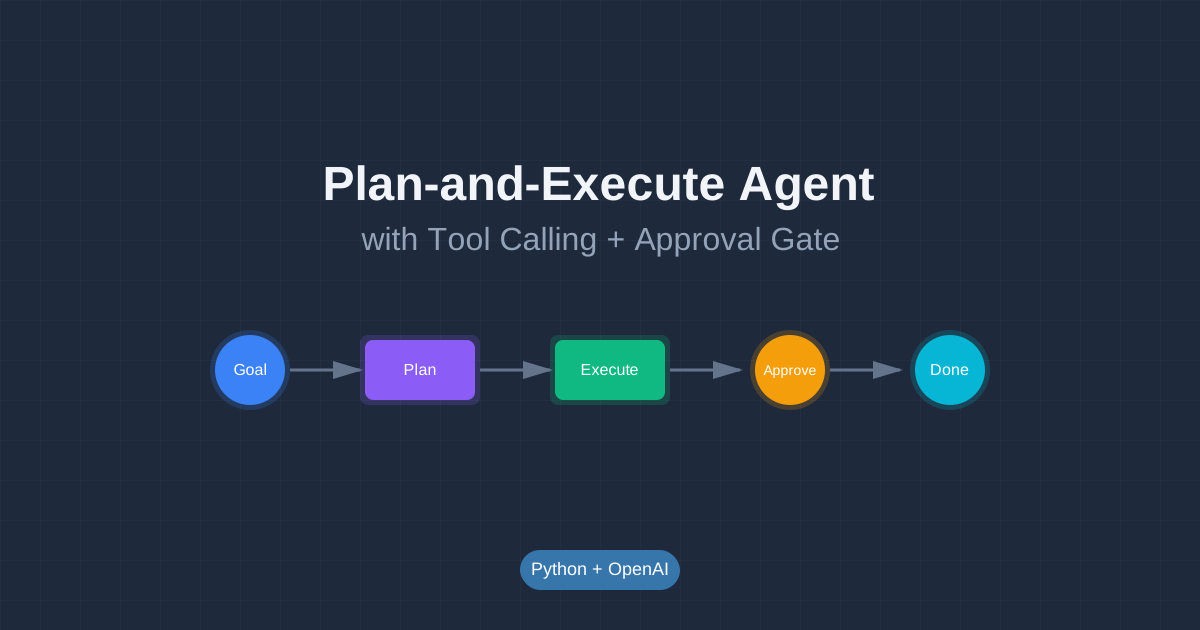
Build a Plan-and-Execute Agent with Tool Calling + an Approval Gate (Python)
Build Your First Agentic AI System 🤖
Modern AI agents don’t just answer questions—they plan, use tools, and take action. In this hands-on tutorial, you’ll build a real agentic system that can read files, write summaries, and ask for your approval before making changes.
This is how production AI agents work: they break down goals into steps, call tools to gather information, and loop until the job is done.
What You’ll Build
A CLI “ops agent” that can:
- ✅ Take a goal (example: “create a weekly digest from these markdown notes”)
- ✅ Write a plan (3-7 steps to accomplish the goal)
- ✅ Execute tools (read files, summarize content, draft output)
- ✅ Ask for approval before side-effect actions (writing files, sending messages)
- ✅ Loop until complete (or hit a safety limit)
Sample run:
$ python agent.py "Create a weekly digest from ./notes"

Agent: I'll create a plan to generate your weekly digest.

Plan:
1. List files in ./notes directory
2. Read each markdown file
3. Extract key points and dates
4. Summarize into a digest format
5. Write digest to ./output/weekly-digest.md

Calling tool: list_files({"directory": "./notes"})
Result: ["2026-01-20.md", "2026-01-21.md", "2026-01-22.md"]

Calling tool: read_file({"path": "./notes/2026-01-20.md"})
Result: "# Monday\n- Finished RAG tutorial\n- Started agent project..."

...

Approval needed: write_file({"path": "./output/weekly-digest.md", "content": "..."})
Approve? [y/N] y

Agent: Done! Created weekly digest at ./output/weekly-digest.md
Why This Tutorial Fits “Agentic AI”
This tutorial teaches real agentic patterns:
- Tool-calling loop: The model proposes tool calls, your code runs them, results go back to the model
- Stateful conversation: Maintains history across steps (conversation + tool outputs)
- Human-in-the-loop: Adds approval gates for risky actions (a basic guardrail you can expand)
- Plan-and-execute: Agent writes a plan first, then executes it step by step
These are the building blocks of production agent systems.
Tutorial Structure
This tutorial is divided into 7 interactive pages (approximately 35 minutes):
- Introduction (5 min) - Agent behavior and project overview
- Setup (4 min) - Environment and dependencies
- Define Tools (6 min) - Create safe and risky tools with schemas
- Build the Agent Loop (8 min) - Core agent logic with tool calling
- Add Controls (5 min) - Safety limits and budgets
- Debugging & Testing (4 min) - Trace, replay, and troubleshoot
- Practice & Next Steps (3 min) - Exercises and scaling advice
Interactive Features
Throughout this tutorial, you’ll experience:
- 🎬 Animated Flows - Visualize the agent loop in action
- 🎯 Drag-and-Drop Activities - Build tool schemas hands-on
- 💻 Live Code Runners - Test code snippets in your browser
- 📊 Animated Diagrams - See tool calling flow step-by-step
- ✅ Knowledge Checks - Test your understanding
Prerequisites
Before starting, you should have:
- Python 3.9+ installed
- Basic Python knowledge: functions, dicts, JSON
- Virtualenv experience: creating and activating environments
- CLI comfort: running scripts from terminal
- OpenAI API key: You’ll need this for the agent (sign up at platform.openai.com)
Don’t worry if you’re new to agents—we’ll explain everything step by step!
What You’ll Need
- Python 3.9 or higher
- OpenAI Python SDK (
pip install openai) - An OpenAI API key (set as
OPENAI_API_KEYenvironment variable) - A text editor or IDE
- Terminal/command line access
Estimated Time
⏱️ 35 minutes to complete all 7 pages
You can take breaks between pages and resume anytime. Each page builds on the previous one, so follow them in order.
Quick Preview: How Agents Work
Traditional LLM interaction:
You: "Summarize these files"
LLM: "I can't access files, but here's how you could..."
Agentic system:
You: "Summarize these files"
Agent: [calls list_files tool]
Agent: [calls read_file tool for each file]
Agent: [generates summary from actual content]
Agent: "Here's your summary: ..."
The difference? Agents can take action. They don’t just talk about what to do—they do it.
Boundaries and Safety
This tutorial builds a local demo with clear boundaries:
- Local only: Runs on your machine, no deployment needed
- Mocked tools: Some tools (like
send_message) just print to console - Safety limits: We cap iterations to avoid infinite loops
- Approval gates: You control when the agent can make changes
These patterns scale to production systems. You’ll learn the fundamentals that apply to real-world agents.
Ready to build your first agent? Click the button above to start!
Discussion
Loading comments...