Build a Simple Tool-Using AI Agent with Memory (Step-by-Step Tutorial)
Welcome to Building Your First AI Agent! 🤖
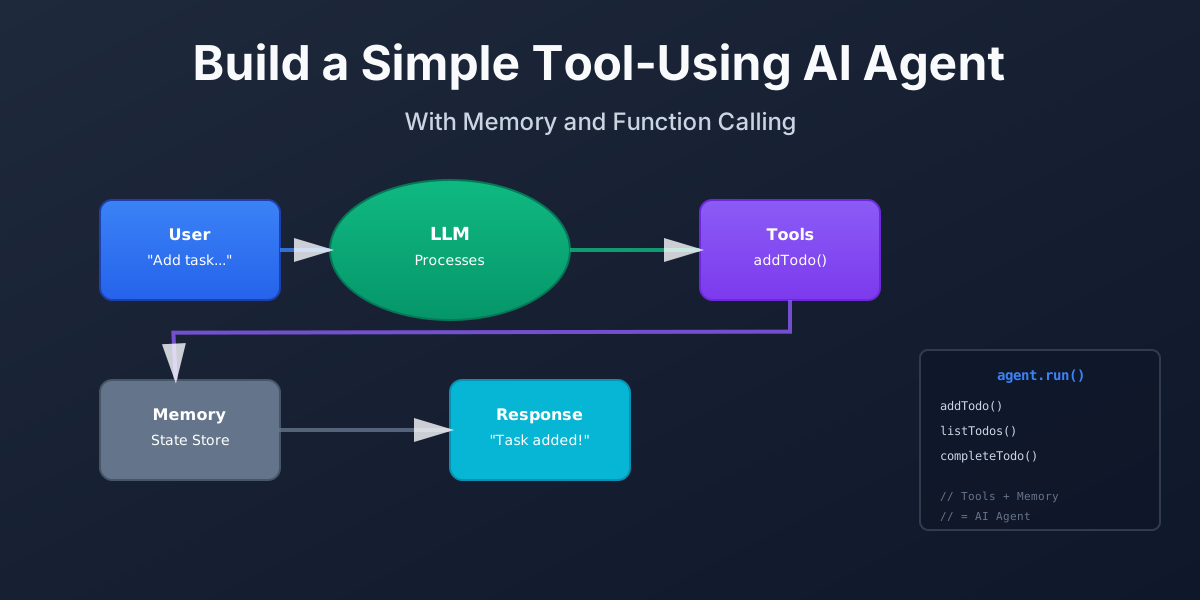
You’re about to build a Personal To-Do Agent. It’s a small AI agent that manages your to-do list. You type natural language like “remind me about my dentist appointment on Tuesday” and the agent decides to call the addTodo tool.
This isn’t a deep theory article. It’s a guided, interactive tutorial where you learn by doing.
What You’ll Build
By the end of this tutorial, you’ll have:
- ✅ A working AI agent that understands natural language tasks
- ✅ Tools for managing a to-do list (add, list, complete)
- ✅ Memory that persists across multiple turns
- ✅ A simple web UI to interact with your agent
- ✅ Understanding of how agents differ from simple chatbots
What You’ll Learn
- What an AI agent is - In simple terms, without jargon
- The difference between a simple chat completion and an agent loop
- How to define tools and connect them to an LLM
- How to build an agent loop that calls tools and remembers state
- How to create a simple UI for your agent
Tutorial Structure
This tutorial is divided into 8 interactive pages (approximately 30 minutes):
- Introduction (4 min) - What you’ll build and why agents matter
- Concept: What Is an AI Agent? (4 min) - Mental model without jargon
- Project Setup (3 min) - Get ready to run code
- Designing the Agent (4 min) - Plan tools and memory
- Implementing Tools (5 min) - Write the tool functions
- Wiring the LLM with Function Calling (6 min) - Connect tools to the model
- Building the Agent Loop (4 min) - Put it all together
- Testing, Limits, and Summary (4 min) - Test your agent and next steps
Interactive Features
Throughout this tutorial, you’ll experience:
- 🎬 Animated Diagrams - Visualize the agent loop
- 🔄 Animated Flows - See data flow between components
- 💻 Live Code Runner - Try code examples directly
- ✅ Knowledge Checks - Test your understanding
- 📊 Interactive Concepts - Step-by-step visualizations
Prerequisites
Before starting, you should have:
- Node.js installed (v18 or later)
- Basic JavaScript or TypeScript knowledge
- An OpenAI API key (or similar LLM with function calling)
- A code editor (VS Code recommended)
Don’t worry if you’re not an expert - we’ll explain everything as we go!
Estimated Time
⏱️ 30 minutes to complete this tutorial
You can take breaks and resume anytime. Each section builds on the previous one.
What Is an AI Agent?
Quick Preview: An AI agent is more than a one-shot LLM call. It’s a loop that receives messages, decides what to do next, calls tools when needed, and remembers state across turns. Unlike a simple chatbot, an agent can take actions, remember context, and maintain state.
Why it matters: Most AI applications are just single API calls. Agents add decision-making, tool use, and state management. They’re powerful but need careful design.
Ready to build one? Click the button above to start!
Discussion
Loading comments...