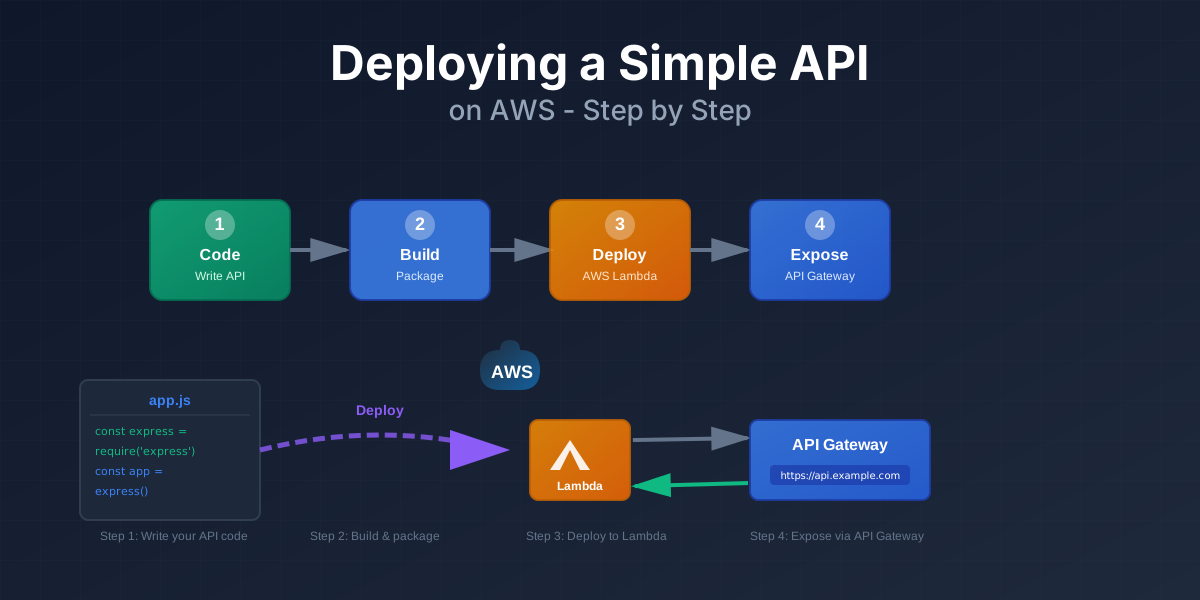
Deploying a Simple API on AWS Step by Step
Welcome to AWS Deployment! 🚀
You have a small Node.js API running on your laptop. You want it running on AWS with a real URL. This tutorial shows you how.
What You’ll Build
We’ll build a tiny Notes API and run it on AWS. You’ll be able to call it from anywhere using a URL.
The API will have:
GET /health- to test if it worksGET /notes- returns a list of notesPOST /notes- adds a new note (optional bonus)
What You Need
Before starting, make sure you have:
- Node.js installed - version 16 or higher
- npm installed - comes with Node.js
- An AWS account - free tier works fine
- Basic JavaScript knowledge - you can write simple functions
- Understanding of HTTP - you know what GET and POST mean
Before You Start Checklist
✓ Node.js installed
Check if Node.js is installed:
node --versionIf you see a version number (like v18.0.0), you’re good. If not, download it from nodejs.org.
✓ AWS account created
- Go to aws.amazon.com
- Click “Create an AWS Account”
- Follow the signup process
- You’ll need a credit card, but the free tier covers what we’ll do
✓ AWS region picked
Choose a region close to you:
- US East (N. Virginia) -
us-east-1 - EU (Ireland) -
eu-west-1 - Asia Pacific (Tokyo) -
ap-northeast-1
We’ll use us-east-1 in examples, but you can pick any region.
Tutorial Structure
This tutorial is divided into 8 pages (approximately 35 minutes):
- Cloud Basics (5 min) - What “the cloud” means without buzzwords
- Design the Project (4 min) - See the end picture before we start
- Local Setup (6 min) - Build the API on your laptop first
- Adapt for Serverless (5 min) - Change code to work with Lambda
- Deploy to AWS (8 min) - Package and deploy to Lambda + API Gateway
- Configuration & Logs (4 min) - Environment variables and debugging
- Cost & Cleanup (2 min) - Understand pricing and remove resources
- Summary (1 min) - What you learned and next steps
Interactive Features
Throughout this tutorial, you’ll experience:
- 🎯 Comparison Components - See differences between local, VM, and serverless
- 📊 Architecture Diagrams - Visual flow of requests through AWS
- 💻 Code Examples - Real, working code you can copy
- ✅ Knowledge Checks - Test your understanding as you go
- 📝 Step Trackers - See your progress through deployment
Estimated Time
⏱️ 35 minutes to complete all 8 pages
You can take breaks between pages. Your progress will be tracked as you navigate.
Quick Preview
What is cloud compute? You rent someone else’s computer and pay for what you use. That’s it.
Why serverless? For small APIs, you pay per request instead of paying for a server that runs 24/7. It’s cheaper and simpler.
What you’ll end up with: A URL like https://abc123.execute-api.us-east-1.amazonaws.com/prod/notes that anyone can call from anywhere.
Ready to start? Click the button above!
Discussion
Loading comments...